ROMs y desarrollo Samsung Galaxy S II ROMs y desarrollo Samsung Galaxy S II

Respuesta
 
Herramientas
  #4701  
Viejo 16/02/12, 18:17:35
Array

[xs_avatar]
axl33 axl33 no está en línea
Cocinero Veterano Next...
 
Fecha de registro: sep 2011
Localización: sevilla
Mensajes: 6,625
Modelo de smartphone: Samsung Note 4
Tu operador: Movistar
 Cita: Originalmente Escrito por rayden9999 Ver Mensaje
Aaaaaay amigo cuantos posts de androidhouse.com te has perdido.....ves a la primera pagina y veras un enlace a la pagina de turkbey, entra y veras quien aparece por ahí, veras cómo te suenan

Enviado desde mi GT-I9100 usando Tapatalk
Jajaja,con ese avatar tan peculiar!!!!Jaja
__________________


Responder Con Cita


  #4702  
Viejo 16/02/12, 18:36:51
Array

[xs_avatar]
RaYmunDooo RaYmunDooo no está en línea
Cocinero Amigo
· Votos compra/venta: (8)
 
Fecha de registro: jul 2011
Localización: Tenerife (Zona Norte)-ESPAÑA
Mensajes: 4,967
Modelo de smartphone: LG G3 y S6 edge+
Tu operador: Movistar
Arrow


TriangleAway - Herramienta de Flash reset del contador


 Cita:

1 -
Samsung Galaxy S2 yükledikçe cada contador rom personalizado (Contador) iba en aumento.Este sıfırlanabiliyordu mostrador con un aparato llamado USB Jig. 2 - Samsung Galaxy S2 signo de exclamación amarillo en el arranque después de la raíz estaba haciendo bien. El signo de exclamación después de luchar varias bi larga kaldırılabiliyordu.


*** Aquí *** ahora podemos fácilmente programar estas dos operaciones en una sola

TriangleAway ofrecido por Chainfire desarrolladores XDA-el contador se pone por una aplicación llamada sıfırlanabiliyor de herramienta de destello del contador, tanto la apertura y el ir acumulando las exclamaciones amarillas.

Descomprimir el ZIP e instalar como siempre la APK.-
Archivos Adjuntos
Tipo de Archivo: zip TriangleAway-v1.10.zip (23.9 KB, 108 visitas)
__________________


Última edición por RaYmunDooo Día 16/02/12 a las 18:42:33.
Responder Con Cita
Los siguientes 10 usuarios han agradecido a RaYmunDooo su comentario:
[ Mostrar/Ocultar listado de agradecimientos ]
  #4703  
Viejo 16/02/12, 18:45:15
Array

[xs_avatar]
RaYmunDooo RaYmunDooo no está en línea
Cocinero Amigo
· Votos compra/venta: (8)
 
Fecha de registro: jul 2011
Localización: Tenerife (Zona Norte)-ESPAÑA
Mensajes: 4,967
Modelo de smartphone: LG G3 y S6 edge+
Tu operador: Movistar
Thumbs down

 Cita: Originalmente Escrito por robertolm Ver Mensaje
¿Quien se hace pasar por Turkbey?

No creo que sea el que venga a el foro ......

Supongo que alguien lo hará.... y por cierto, se ganará muchisimos GRACIAS.

Que bueno.... V34 ... Great...... V34 Parece protocolo de modem a 28K...
jajajaja

Vale... chiste tonto....

Pregunta de viejo:
¿Os acordais de los POKES? poke peek....
No soys tan viejos... jajajaja

 Cita:
Un troll o trol1 es un vocablo de Internet que describe a una persona que sólo busca provocar intencionadamente a los usuarios o lectores, creando controversia, provocar reacciones predecibles, especialmente por parte de usuarios novatos, con fines diversos, desde el simple divertimento hasta interrumpir o desviar los temas de las discusiones, o bien provocar flamewars, enfadando a sus participantes y enfrentándolos entre sí. El troll puede ser más o menos sofisticado, desde mensajes groseros, ofensivos o fuera de tema, sutiles provocaciones o mentiras difíciles de detectar, con la intención en cualquier caso de confundir o provocar la reacción de los demás. Actualmente también se usa este término para cualquier tipo de travesura.
Aunque originalmente el término sólo se refería a la práctica en sí y no a la persona, un desplazamiento metonímico posterior ha hecho que también se aplique a las personas que presuntamente incurren en ese tipo de prácticas. Su origen etimológico más probable evoca la idea de «morder el anzuelo» (troll es un tipo de pesca en inglés).2
__________________


Responder Con Cita
Gracias de parte de:
  #4704  
Viejo 16/02/12, 18:51:18
Array

[xs_avatar]
RaYmunDooo RaYmunDooo no está en línea
Cocinero Amigo
· Votos compra/venta: (8)
 
Fecha de registro: jul 2011
Localización: Tenerife (Zona Norte)-ESPAÑA
Mensajes: 4,967
Modelo de smartphone: LG G3 y S6 edge+
Tu operador: Movistar
Thumbs up

[quote=Turkbey;3847040]V34 TurkbeyRom with jkay v13.6.2

but some bugs found in jkay last version

so waiting

Thanks Mate


pero algunos errores encontrados en la última versión jkay

por lo que esperar
__________________


Última edición por RaYmunDooo Día 16/02/12 a las 19:29:11.
Responder Con Cita
Los siguientes 2 usuarios han agradecido a RaYmunDooo su comentario:
  #4705  
Viejo 16/02/12, 19:01:34
Array

[xs_avatar]
axl33 axl33 no está en línea
Cocinero Veterano Next...
 
Fecha de registro: sep 2011
Localización: sevilla
Mensajes: 6,625
Modelo de smartphone: Samsung Note 4
Tu operador: Movistar
 Cita: Originalmente Escrito por RaYmunDooo Ver Mensaje


TriangleAway - Herramienta de Flash reset del contador


Descomprimir el ZIP e instalar como siempre la APK.-
Que bueno tío !!!!gracias por compartir!!!!


sigue la turkbeyrom y mucho más por FACEBOOK: http://m.facebook.com/home.php?__use...ser=1446349579
__________________


Responder Con Cita
Los siguientes 3 usuarios han agradecido a axl33 su comentario:
[ Mostrar/Ocultar listado de agradecimientos ]
  #4706  
Viejo 16/02/12, 19:07:27
Array

[xs_avatar]
RaYmunDooo RaYmunDooo no está en línea
Cocinero Amigo
· Votos compra/venta: (8)
 
Fecha de registro: jul 2011
Localización: Tenerife (Zona Norte)-ESPAÑA
Mensajes: 4,967
Modelo de smartphone: LG G3 y S6 edge+
Tu operador: Movistar
Thumbs up

[Theme/Mod/Apk] XWLA4 - JKay Deluxe v13.6.2 - How the SGS2 should be! 2012-02-16

(Click para mostrar/ocultar)


http://forum.xda-developers.com/show....php?t=1154278
Purpose of this addon: Speed up access to settings and applications. Beautiful battery icon. Stay true to original design. Small, simple, fast without battery drain. How I think Samsung should have made it
It only needs a supported rom (odexed or deodexed) and a kernel with CWM support.

Read the FAQ in 2nd post before posting bugs or questions!!

100+ JKay Deluxe themes for XWLA4 odexed and deodexed roms (stock is odexed)

Features in v13.6.2 (bold is added since v13.5):
* Added support for CRT effects with animated screen lights!
* Added 'Fast double click' on/off toggle (uses 350 ms instead of the default 500 ms for home button double click timeout)
* Added 'Vibrate when unlock' on/off toggle for all lockscreens (even pin and pattern).
* Support for home button double click custom action or unlock (Also works when pincode is set and secure mode is turned off!)
* Changed Recent apps dialog to hold 9 apps instead of only 6
* Added support for LiveWallpapers on Circle lockscreen
* Added support for transparent background on Circle lockscreen
* Added support for Next Alarm info on Circle lockscreen
* Added support for Show Clock on/off on Circle lockscreen
* Added support for Show Date on/off on Circle lockscreen
* Added support for Show Charging info on/off on Circle lockscreen
* Added support for Show when secure on/off on Circle lockscreen
* fixed bug in systemui
* faster loading of Deluxe lockscreens
* updated Deluxe Settings to support the circle lockscreen
* Added FM Radio Widget support on Circle lockscreen
* Added support for 'Leading zero on clock' toggle on Circle lockscreen
* Added support for 'Show swipe help text' toggle on Circle lockscreen
* Added support for 'Long date format' on Circle lockscreen
* Fixed bugs reqarding new music and radio widgets on Glass Deluxe and AOSP Deluxe lockscreens
* Clock on AOSP Deluxe lockscreen is now centered vertically when no music widgets are shown!

* Added Wi-Fi hotspot quick settings button
* Added the 4 power buttons (reboot, recovery, download and power off) to quick settings panel too (by request!)
* Split up the status bar option 'Theme icons' to 'Theme connection icons', 'Theme clock', 'Theme text' and 'Theme battery level'
* Added 'Add date to clock' toggle for always showing the date on the status bar.
* Moved Battery level text a few pixels to the left
* Confirmation toggle for Backup/Restore and Reset
* Added 2 more Brightness profiles (now 3 of the profiles require a custom kernel for the darkest setting, one is a special Test profile that can be used for testing if the kernel supports low brightness values)
* Added 'Show silent icon' toggle to status bar options.
* Changed Theme Clock toggle to also theme connection icons.
* Split up glass and aosp shortcuts.
* Support for AOSP shortcut templates.
* Support for setting Auto brightness delay. Select between values: No delay, 0.5 seconds, 1 second and 2 seconds.
* Support for Auto brightness profiles
* Background data on/off toggle added to quick settings panel
* toggle on/off for showing the Quick Settings panel
* phone option dialog menu items can be reordered like quick panel buttons
* backup and restore all settings
* 'Clear all' button moved to notification header on expanded statusbar (if you unselect 'Show carrier label')
* Volume Lock (on/off toggle: a deluxe setting that will make sure notification volume is the same as ringer volume).
* Added Status bar 'Themed clock but only when Fully Connected' toggle on/off: Makes clock and battery level green or whatever the theme color is when fully connected to google servers.
* Added Status bar battery icon on/off toggle
* Added Status bar alarm icon on/off toggle
* Added Status bar silent vibration icon on/off toggle
* Added Home button haptic feedback on/off toggle
* Added Status bar 'Themed clock' toggle on/off: Makes clock and battery level green or whatever the theme color is (blue, gold...)
* Added Status bar 'Battery level' toggle on/off: show/hide battery percentage next to battery icon
* Added 'No lock screen' option as lock screen selection.
* Added Custom/Temporary Screen time-out quick panel toggle called 'Screen on'. Temporary will set your screen time-out to a value between 1 and 210 minutes and reset back to original timeout at screen off.
* Added Quick Launch Panel: Fully customizable quick launch panel (as a toggle, select and/or reorder launch buttons - including Reboot, Recovery, Download and Power off)
* Fully customizable quick settings panel (select and/or reorder quick setting buttons)
* Added: Auto collapse statusbar on/off
* Added: 6 button quick panel on/off
* Removed padding code from sound toggle
* Changed the default shortcuts on lock screen (now only Unlock and Sound toggle at center, so glass left, right and up will all be unlock and down will be silent)
* Added Flashlight toggle to quick panel (it keeps screen on! So remember to turn it off using button or power button)
* Added Auto brightness toggle to quick panel
* Added Secure toggle to quick panel (your unlock screen will switch to your selected lock screen while not secure)
* Fixed vibration toggle on quick panel and Phone options dialog (now switches correctly according to vibration state: always off, always on, only in silent mode, only if not in silent mode)
* Toggle for Bluetooth On notification
* Toggle for status bar vibrate icon (show only when in silent mode)
* Toggle for lock screen charging info
* Toggle for lock screen next alarm info
* Toggle for lock screen date
* 'Next Alarm' information on lock screens
* Use AOSP clock style on all deluxe lock screens (as a toggle)
* Long date format on all deluxe lock screens (like Monday, 26 September as a toggle)
* Charging information on all deluxe lock screens
* Center clock, date and charging info on all deluxe lock screens (as a toggle)
* 2 lock screens (JKay Glass Deluxe and JKay AOSP Deluxe)
* Support for Transparent wallpaper!
* Support for Live Wallpapers on Unlock screens (pattern/pin/password)!
* A toggle to remove leading zero of the clock on the lock screen
* A toggle to remove the quick button text (requires reboot)
* A toggle for CRT TV on effect (bypassing Animation setting!)
* A toggle for CRT TV off effect (bypassing Animation setting!)
* A toggle to hide the clock from statusbar (move it over next to date)
* A toggle to remove the carrier label from the notification bar
* 'Show lock screen when secure' toggle (shows AOSP/Glass lockscreen before unlock screen aka pattern/pin/password)
* Support for Skipping music track/fm radio station using vol-up/down-keys when screen is off (as a toggle)
* 15 seconds timeout... (as a toggle)
* Flashlight on/off toggle from both JKay Deluxe lock screens (5 mins timeout)
* Sound on/off toggle from both JKay Deluxe lock screens
* Screenshot from the Power options dialog
* Full charge notification on/off toggle
* Low battery notification on/off toggle
* Confirm shutdown on/off toggle (asks for confirmation when using Reboot, Recovery, Download and Power off)
* Support for custom launch actions from lock screens
* Support for custom icons on JKay AOSP Deluxe lock screen
* Support for disabling Home button double click
* Support for home screen wallpaper on lock screen (use live wallpapers on the lock screen like on the good old SGS!)
* Support for lock screen clock on/off
* Support for no Unlock animation
* Long click quick panel buttons will launch respective settings menu
* Horizontal scrollable quick panel with 8 new toggles Data / Flight mode / Sync and Vibrate etc...
* Support for Vibrate on/off when unlocking
* Support for Dark background on/off
* Supports customizable Power Options Dialog
* Supports SIP & VOIP
* Support for WiFi statusbar icon change when fully connected

See 2nd post for download links..

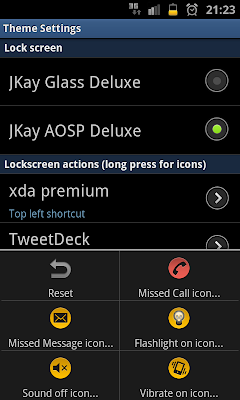
JKay Deluxe Theme Settings App:
Screenshot1, Screenshot2, Screenshot3, Screenshot4


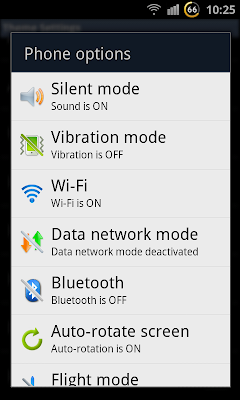
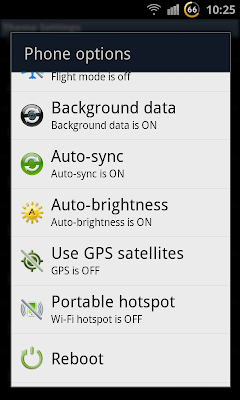
Power options dialog:
Screenshot4, Screenshot5, Screenshot6


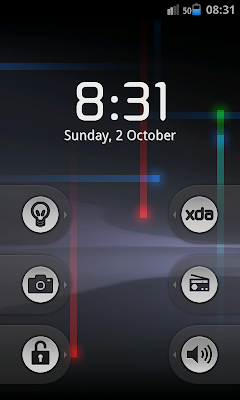
JKay AOSP Lockscreen screenshots
Screenshot1, screenshot2, screenshot3 and screenshot4


JKay Deluxe Icon Pack 1:


Everyone can make their own jog icons if they like! I will link to them from here:
Icon packs from syps54, Icon packs from werk13

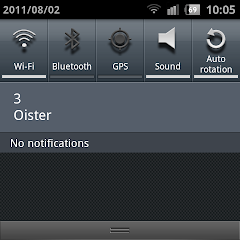
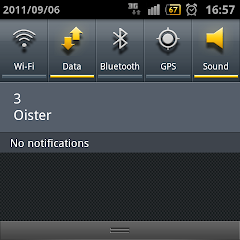
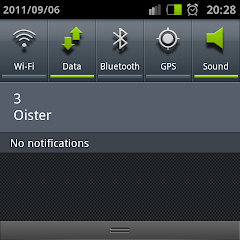
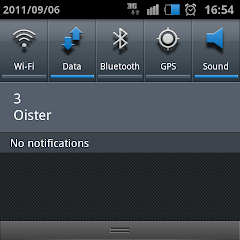
Customizable Deluxe quick panel with 19 toggles (scrollable left and right)

Wifi, Data, Bluetooth, GPS, Silent mode, Vibrate, Auto brightness, Auto rotation, Flight mode, Sync, Secure mode, Flashlight, Screen on, Background data, Wi-Fi hotspot, Reboot, Recovery, Download and Power off

Secure mode: With this toggle you can temporary disable unlock screen so no code is required to unlock the phone. The lock screen will be shown instead of the unlock screen. This setting will reset to 'Secure mode on' at next boot!

Flashlight: Turns on the flashlight led next to the camera. This will also keep the screen on. And it will switch off if screen is turned off using the power button.


Quick launch panel:
Version 13 introduces the Quick launch panel. Put your favorite apps below your quick settings panel. Ready to launch from anywhere!
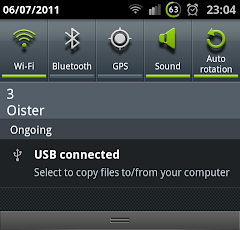
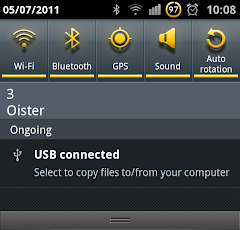
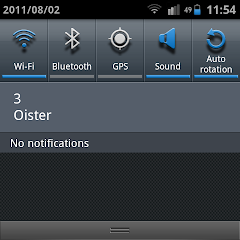
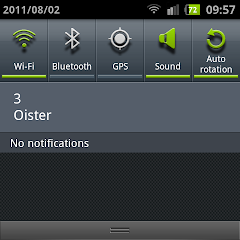
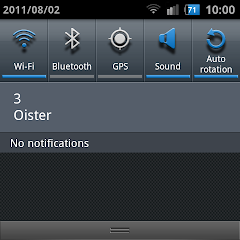
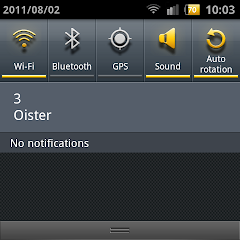
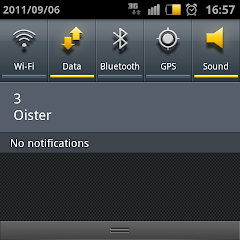
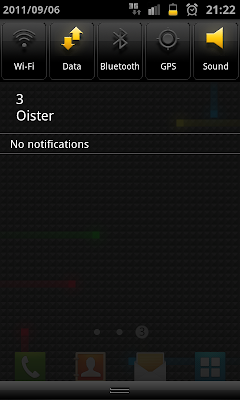
Here are 2 sample screenshots. Left: HTC Gold Ginger Deluxe Right: Stock theme (but with hidden button labels, hidden carrier label and added battery level)


Alarm png changed

Original -> My version

JKay_BlueGingerNext Theme (Percentage to the left of ginger battery icon)


JKay GreenCircle Theme , BlueCircle and GoldenCircle


JKay GreenColored and BlueColored Circle Themes


JKay GreenGinger, BlueGinger and GoldGinger


JKay BigGinger and BlueBigGinger


JKay DoubleGinger, BlueDoubleGinger and GoldDoubleGinger


JKay SmallGinger, BlueSmallGinger, GoldSmallGinger


JKay GreenGray, BlueGray, GoldGray and GrayBattery


JKay GreenEdge, JKay GreenEdgeCounterClock and JKay GreenEdgeStatic


JKay GoldEdge, JKay GoldEdgeCounterClock and JKay GoldEdgeStatic


Stock themes
The themes that starts with 'Stock' do not include battery percentage on the battery icon. If you like the stock samsung look then install the mod called JKay_Stock_Deluxe... it's a no theme mod
JKay StockGreenGray Deluxe , JKay StockBlueGray Deluxe , JKay StockGoldGray Deluxe , JKay StockGrayBattery Deluxe


Stock Quick Panel
Themes with SQP in their names have stock quick panel icon graphics.

Themes with the work 'ALL'
In the 'All' themes all icons and text has been themed to that color. (Current is only 'All Gold' themes available).

HTC themes
Themes with HTC in their names are themes that uses HTC colors and graphics (with semi transparent background added). There are HTC versions of all the themes except the Stock Deluxe (as it's not a theme )!
As an example: Here is the JKay HTC_Stock_Gold_Ginger


JKay mod bugfix log:
v13.6.2
* Fixed: Home button double click custom action did not work with bluetooth devices
* Fixed: Bug in Circle lockscreen when NextAlarm was used!

v13.6.1
* Fixed: Home button double click custom action did not work if no Voice talk/Voice command was available
v13.5
* Fixed: Zero percent battery bug (phone rebooted when 0 percent was reached)
* Fixed: Quick launch panel bug where icons from apps installed on sd card were not shown correctly)
* Fixed: Quick settings panel bug where SystemUI would FC when phone was rebooted when 'Screen on' toggle was enabled
* Fixed: Quick settings panel bug where Auto-rotation text would change position after update
* Fixed: Quick settings panel bug where Data toggle button state could get out of sync
* v13.4 Fixed Themed signal strength did not go green at boot
* v13.4 Fixed Themed signal strength did not go green when roaming
* V13.3.9 fixed null pointer exception in SystemUI (a lot rewritten)
* V13.3.8 fixed glass lockscreen touch bug.
* V13.3.8 fixed NoLED blink bug* V13.1 fixed SystemUI.apk AndroidManifest.xml
* V12.1 fixed hide quick panel button text for stock quick panel
* V12.1 fixed HTC graphics bug on quick panel
* V10.1 fixed Carrier label bug
* V10.1 changed slow blur from false to true in all my themes
* V10.0 fixed volume bug in volume mod
* V9.2 fixes SMS reboot problem
* V9.1 fixes Sound on/off toggle bug

Changelog apk:
*V13.3.8 Refactored: moved toggles to sub-menues
*V10.1 Change apk name to JKay Deluxe Settings
*V10.1 Changed a few labels and added a few checks
* V10.0 Added permission checks
* V9.1 fixes bug if no phone app icon can be found


Last edited by _JKay_; Today at 09:03 AM. Reason: Updated some progress info on JKay for XWLA4
__________________


Responder Con Cita
Los siguientes 2 usuarios han agradecido a RaYmunDooo su comentario:
  #4707  
Viejo 16/02/12, 19:08:35
Array

[xs_avatar]
jorge_kai jorge_kai no está en línea
Administrador de HTCMania
 
Fecha de registro: abr 2007
Localización: Madrid
Mensajes: 150,080
Modelo de smartphone: Samsung Galaxy S23 Ultra
Tu operador: Movistar
Sólo un apunte... lo de que aparezca "movistar" en el perfil del usuario es un bug del foro, ya que si no se pone ninguno aparece por defecto "movistar".

Dejemos temas ajenos a la ROM y disfrutemos de ella, gracias.
__________________
Administrador de HTCMania

Contactar vía Telegram
Responder Con Cita
Los siguientes 10 usuarios han agradecido a jorge_kai su comentario:
[ Mostrar/Ocultar listado de agradecimientos ]
  #4708  
Viejo 16/02/12, 19:10:07
Array

[xs_avatar]
axl33 axl33 no está en línea
Cocinero Veterano Next...
 
Fecha de registro: sep 2011
Localización: sevilla
Mensajes: 6,625
Modelo de smartphone: Samsung Note 4
Tu operador: Movistar
Valla,me sale esto RAY,


sigue la turkbeyrom y mucho más por FACEBOOK: http://m.facebook.com/home.php?__use...ser=1446349579
__________________


Responder Con Cita
  #4709  
Viejo 16/02/12, 19:13:48
Array

[xs_avatar]
RaYmunDooo RaYmunDooo no está en línea
Cocinero Amigo
· Votos compra/venta: (8)
 
Fecha de registro: jul 2011
Localización: Tenerife (Zona Norte)-ESPAÑA
Mensajes: 4,967
Modelo de smartphone: LG G3 y S6 edge+
Tu operador: Movistar
@axl33

La instalación de la APK con root explorer y sus permisos ??
__________________


Responder Con Cita
  #4710  
Viejo 16/02/12, 19:37:00
Array

[xs_avatar]
bomberatq bomberatq no está en línea
Usuario muy activo
 
Fecha de registro: abr 2010
Localización: Málaga
Mensajes: 1,969
Modelo de smartphone: Samsung Galaxy S9+
Tu operador: Jazztel
 Cita: Originalmente Escrito por axl33 Ver Mensaje
valla,me sale esto ray,


sigue la turkbeyrom y mucho más por facebook: http://m.facebook.com/home.php?__use...ser=1446349579
+ 1000
Responder Con Cita
  #4711  
Viejo 16/02/12, 19:43:00
Array

[xs_avatar]
axl33 axl33 no está en línea
Cocinero Veterano Next...
 
Fecha de registro: sep 2011
Localización: sevilla
Mensajes: 6,625
Modelo de smartphone: Samsung Note 4
Tu operador: Movistar
 Cita: Originalmente Escrito por RaYmunDooo Ver Mensaje
@axl33

La instalación de la APK con root explorer y sus permisos ??
Sí sí,tal como está explicado en la 1° página,pero ná de ná

sigue la turkbeyrom y mucho más por FACEBOOK: http://m.facebook.com/home.php?__use...ser=1446349579
__________________


Última edición por axl33 Día 16/02/12 a las 19:59:04.
Responder Con Cita
  #4712  
Viejo 16/02/12, 20:11:58
Array

[xs_avatar]
rayden9999 rayden9999 no está en línea
Cocinero veterano
 
Fecha de registro: ago 2010
Localización: Valencia
Mensajes: 1,765
Modelo de smartphone: Samsung SIII
Tu operador: Orange
aqui os dejo otro bootanimation.....variedad,variedad
Imágenes Adjuntas
Tipo de Archivo: jpg DROID_R2D2_0722_0159.jpg (65.9 KB, 248 visitas)
Archivos Adjuntos
Tipo de Archivo: zip bootanimation 4.zip (8.66 MB, 9 visitas)
__________________
Responder Con Cita
Gracias de parte de:
  #4713  
Viejo 16/02/12, 20:57:18
Array

[xs_avatar]
ozono4 ozono4 no está en línea
Miembro del foro
 
Fecha de registro: ene 2012
Mensajes: 271
Tu operador: Movistar

 Cita: Originalmente Escrito por bomberatq Ver Mensaje
+ 1000
como se instala¿¿¿
Responder Con Cita
  #4714  
Viejo 16/02/12, 21:14:33
Array

[xs_avatar]
cornel262 cornel262 no está en línea
Usuario muy activo
· Votos compra/venta: (5)
 
Fecha de registro: nov 2009
Localización: SmartfonLandia
Mensajes: 2,654
Modelo de smartphone: S4, S7
Tu operador: Vodafone
Acabo de llegar y veo el aviso del Turkbey-V34, mañana vierneeeeeeesss...
Responder Con Cita
  #4715  
Viejo 16/02/12, 21:52:54
Array

[xs_avatar]
detalle2 detalle2 no está en línea
Usuario muy activo
· Votos compra/venta: (2)
 
Fecha de registro: oct 2008
Mensajes: 1,640
Modelo de smartphone: Samsung galaxy z fold 2 5G
Tu operador: Simyo
Mañana toca flasheo gay?

DETALLE 2
Responder Con Cita
  #4716  
Viejo 16/02/12, 23:11:43
Array

[xs_avatar]
luckazz84 luckazz84 no está en línea
Usuario novato en la web
 
Fecha de registro: ene 2012
Mensajes: 6
Modelo de smartphone: samsung I9100
Tu operador: Movistar
relog aplicacion de serie

hola buenas, no se si deberia poner esta duda aqui, pero como estoy manejando la v33 pues ahi voy.

el caso es que instale unos widgets del tw4 manager, y en concreto el "clock package.apk".
bueno pues en concreto este me ha jodido la aplicacion del reloj de serie, cada vez que voy a guardar una alarma me da un forzar cierre, y queria saber como podria recuperar el reloj de serie ya que no tengo un backup para esta aplicacion, me jode que ahora que la rom se ha estabilizado y me va de puta madre tenga que hacer wipes o volver a flashearla por esta birria y por no tener conocimientos suficientes y tampoco encontrar en el foro algo relacionado con esto.

gracias por todo el curro. gracias a vosotros tengo me va genial el S2.
Responder Con Cita
  #4717  
Viejo 16/02/12, 23:13:40
Array

[xs_avatar]
klander
Usuario invitado
 
Mensajes: n/a

 Cita: Originalmente Escrito por turkbey Ver Mensaje
v34 turkbeyrom with jkay v13.6.2

but some bugs found in jkay last version

so waiting

thanks very much mate @turkbey
Responder Con Cita
  #4718  
Viejo 16/02/12, 23:26:48
Array

[xs_avatar]
klander
Usuario invitado
 
Mensajes: n/a

 Cita: Originalmente Escrito por robertolm Ver Mensaje
¿Quien se hace pasar por Turkbey?

No creo que sea el que venga a el foro ......

Supongo que alguien lo hará.... y por cierto, se ganará muchisimos GRACIAS.

Que bueno.... V34 ... Great...... V34 Parece protocolo de modem a 28K...
jajajaja

Vale... chiste tonto....

Pregunta de viejo:
¿Os acordais de los POKES? poke peek....
No soys tan viejos... jajajaja
Mira la imagen y dime si ves algo raro
Imágenes Adjuntas
Tipo de Archivo: png turkbey.PNG (54.6 KB, 149 visitas)
Responder Con Cita
  #4719  
Viejo 16/02/12, 23:29:01
Array

[xs_avatar]
klander
Usuario invitado
 
Mensajes: n/a

 Cita: Originalmente Escrito por RaYmunDooo Ver Mensaje
[Theme/Mod/Apk] XWLA4 - JKay Deluxe v13.6.2 - How the SGS2 should be! 2012-02-16

(Click para mostrar/ocultar)


http://forum.xda-developers.com/show....php?t=1154278
Purpose of this addon: Speed up access to settings and applications. Beautiful battery icon. Stay true to original design. Small, simple, fast without battery drain. How I think Samsung should have made it
It only needs a supported rom (odexed or deodexed) and a kernel with CWM support.

Read the FAQ in 2nd post before posting bugs or questions!!

100+ JKay Deluxe themes for XWLA4 odexed and deodexed roms (stock is odexed)

Features in v13.6.2 (bold is added since v13.5):
* Added support for CRT effects with animated screen lights!
* Added 'Fast double click' on/off toggle (uses 350 ms instead of the default 500 ms for home button double click timeout)
* Added 'Vibrate when unlock' on/off toggle for all lockscreens (even pin and pattern).
* Support for home button double click custom action or unlock (Also works when pincode is set and secure mode is turned off!)
* Changed Recent apps dialog to hold 9 apps instead of only 6
* Added support for LiveWallpapers on Circle lockscreen
* Added support for transparent background on Circle lockscreen
* Added support for Next Alarm info on Circle lockscreen
* Added support for Show Clock on/off on Circle lockscreen
* Added support for Show Date on/off on Circle lockscreen
* Added support for Show Charging info on/off on Circle lockscreen
* Added support for Show when secure on/off on Circle lockscreen
* fixed bug in systemui
* faster loading of Deluxe lockscreens
* updated Deluxe Settings to support the circle lockscreen
* Added FM Radio Widget support on Circle lockscreen
* Added support for 'Leading zero on clock' toggle on Circle lockscreen
* Added support for 'Show swipe help text' toggle on Circle lockscreen
* Added support for 'Long date format' on Circle lockscreen
* Fixed bugs reqarding new music and radio widgets on Glass Deluxe and AOSP Deluxe lockscreens
* Clock on AOSP Deluxe lockscreen is now centered vertically when no music widgets are shown!

* Added Wi-Fi hotspot quick settings button
* Added the 4 power buttons (reboot, recovery, download and power off) to quick settings panel too (by request!)
* Split up the status bar option 'Theme icons' to 'Theme connection icons', 'Theme clock', 'Theme text' and 'Theme battery level'
* Added 'Add date to clock' toggle for always showing the date on the status bar.
* Moved Battery level text a few pixels to the left
* Confirmation toggle for Backup/Restore and Reset
* Added 2 more Brightness profiles (now 3 of the profiles require a custom kernel for the darkest setting, one is a special Test profile that can be used for testing if the kernel supports low brightness values)
* Added 'Show silent icon' toggle to status bar options.
* Changed Theme Clock toggle to also theme connection icons.
* Split up glass and aosp shortcuts.
* Support for AOSP shortcut templates.
* Support for setting Auto brightness delay. Select between values: No delay, 0.5 seconds, 1 second and 2 seconds.
* Support for Auto brightness profiles
* Background data on/off toggle added to quick settings panel
* toggle on/off for showing the Quick Settings panel
* phone option dialog menu items can be reordered like quick panel buttons
* backup and restore all settings
* 'Clear all' button moved to notification header on expanded statusbar (if you unselect 'Show carrier label')
* Volume Lock (on/off toggle: a deluxe setting that will make sure notification volume is the same as ringer volume).
* Added Status bar 'Themed clock but only when Fully Connected' toggle on/off: Makes clock and battery level green or whatever the theme color is when fully connected to google servers.
* Added Status bar battery icon on/off toggle
* Added Status bar alarm icon on/off toggle
* Added Status bar silent vibration icon on/off toggle
* Added Home button haptic feedback on/off toggle
* Added Status bar 'Themed clock' toggle on/off: Makes clock and battery level green or whatever the theme color is (blue, gold...)
* Added Status bar 'Battery level' toggle on/off: show/hide battery percentage next to battery icon
* Added 'No lock screen' option as lock screen selection.
* Added Custom/Temporary Screen time-out quick panel toggle called 'Screen on'. Temporary will set your screen time-out to a value between 1 and 210 minutes and reset back to original timeout at screen off.
* Added Quick Launch Panel: Fully customizable quick launch panel (as a toggle, select and/or reorder launch buttons - including Reboot, Recovery, Download and Power off)
* Fully customizable quick settings panel (select and/or reorder quick setting buttons)
* Added: Auto collapse statusbar on/off
* Added: 6 button quick panel on/off
* Removed padding code from sound toggle
* Changed the default shortcuts on lock screen (now only Unlock and Sound toggle at center, so glass left, right and up will all be unlock and down will be silent)
* Added Flashlight toggle to quick panel (it keeps screen on! So remember to turn it off using button or power button)
* Added Auto brightness toggle to quick panel
* Added Secure toggle to quick panel (your unlock screen will switch to your selected lock screen while not secure)
* Fixed vibration toggle on quick panel and Phone options dialog (now switches correctly according to vibration state: always off, always on, only in silent mode, only if not in silent mode)
* Toggle for Bluetooth On notification
* Toggle for status bar vibrate icon (show only when in silent mode)
* Toggle for lock screen charging info
* Toggle for lock screen next alarm info
* Toggle for lock screen date
* 'Next Alarm' information on lock screens
* Use AOSP clock style on all deluxe lock screens (as a toggle)
* Long date format on all deluxe lock screens (like Monday, 26 September as a toggle)
* Charging information on all deluxe lock screens
* Center clock, date and charging info on all deluxe lock screens (as a toggle)
* 2 lock screens (JKay Glass Deluxe and JKay AOSP Deluxe)
* Support for Transparent wallpaper!
* Support for Live Wallpapers on Unlock screens (pattern/pin/password)!
* A toggle to remove leading zero of the clock on the lock screen
* A toggle to remove the quick button text (requires reboot)
* A toggle for CRT TV on effect (bypassing Animation setting!)
* A toggle for CRT TV off effect (bypassing Animation setting!)
* A toggle to hide the clock from statusbar (move it over next to date)
* A toggle to remove the carrier label from the notification bar
* 'Show lock screen when secure' toggle (shows AOSP/Glass lockscreen before unlock screen aka pattern/pin/password)
* Support for Skipping music track/fm radio station using vol-up/down-keys when screen is off (as a toggle)
* 15 seconds timeout... (as a toggle)
* Flashlight on/off toggle from both JKay Deluxe lock screens (5 mins timeout)
* Sound on/off toggle from both JKay Deluxe lock screens
* Screenshot from the Power options dialog
* Full charge notification on/off toggle
* Low battery notification on/off toggle
* Confirm shutdown on/off toggle (asks for confirmation when using Reboot, Recovery, Download and Power off)
* Support for custom launch actions from lock screens
* Support for custom icons on JKay AOSP Deluxe lock screen
* Support for disabling Home button double click
* Support for home screen wallpaper on lock screen (use live wallpapers on the lock screen like on the good old SGS!)
* Support for lock screen clock on/off
* Support for no Unlock animation
* Long click quick panel buttons will launch respective settings menu
* Horizontal scrollable quick panel with 8 new toggles Data / Flight mode / Sync and Vibrate etc...
* Support for Vibrate on/off when unlocking
* Support for Dark background on/off
* Supports customizable Power Options Dialog
* Supports SIP & VOIP
* Support for WiFi statusbar icon change when fully connected

See 2nd post for download links..

JKay Deluxe Theme Settings App:
Screenshot1, Screenshot2, Screenshot3, Screenshot4


Power options dialog:
Screenshot4, Screenshot5, Screenshot6


JKay AOSP Lockscreen screenshots
Screenshot1, screenshot2, screenshot3 and screenshot4


JKay Deluxe Icon Pack 1:


Everyone can make their own jog icons if they like! I will link to them from here:
Icon packs from syps54, Icon packs from werk13

Customizable Deluxe quick panel with 19 toggles (scrollable left and right)

Wifi, Data, Bluetooth, GPS, Silent mode, Vibrate, Auto brightness, Auto rotation, Flight mode, Sync, Secure mode, Flashlight, Screen on, Background data, Wi-Fi hotspot, Reboot, Recovery, Download and Power off

Secure mode: With this toggle you can temporary disable unlock screen so no code is required to unlock the phone. The lock screen will be shown instead of the unlock screen. This setting will reset to 'Secure mode on' at next boot!

Flashlight: Turns on the flashlight led next to the camera. This will also keep the screen on. And it will switch off if screen is turned off using the power button.


Quick launch panel:
Version 13 introduces the Quick launch panel. Put your favorite apps below your quick settings panel. Ready to launch from anywhere!
Here are 2 sample screenshots. Left: HTC Gold Ginger Deluxe Right: Stock theme (but with hidden button labels, hidden carrier label and added battery level)


Alarm png changed

Original -> My version

JKay_BlueGingerNext Theme (Percentage to the left of ginger battery icon)


JKay GreenCircle Theme , BlueCircle and GoldenCircle


JKay GreenColored and BlueColored Circle Themes


JKay GreenGinger, BlueGinger and GoldGinger


JKay BigGinger and BlueBigGinger


JKay DoubleGinger, BlueDoubleGinger and GoldDoubleGinger


JKay SmallGinger, BlueSmallGinger, GoldSmallGinger


JKay GreenGray, BlueGray, GoldGray and GrayBattery


JKay GreenEdge, JKay GreenEdgeCounterClock and JKay GreenEdgeStatic


JKay GoldEdge, JKay GoldEdgeCounterClock and JKay GoldEdgeStatic


Stock themes
The themes that starts with 'Stock' do not include battery percentage on the battery icon. If you like the stock samsung look then install the mod called JKay_Stock_Deluxe... it's a no theme mod
JKay StockGreenGray Deluxe , JKay StockBlueGray Deluxe , JKay StockGoldGray Deluxe , JKay StockGrayBattery Deluxe


Stock Quick Panel
Themes with SQP in their names have stock quick panel icon graphics.

Themes with the work 'ALL'
In the 'All' themes all icons and text has been themed to that color. (Current is only 'All Gold' themes available).

HTC themes
Themes with HTC in their names are themes that uses HTC colors and graphics (with semi transparent background added). There are HTC versions of all the themes except the Stock Deluxe (as it's not a theme )!
As an example: Here is the JKay HTC_Stock_Gold_Ginger


JKay mod bugfix log:
v13.6.2
* Fixed: Home button double click custom action did not work with bluetooth devices
* Fixed: Bug in Circle lockscreen when NextAlarm was used!

v13.6.1
* Fixed: Home button double click custom action did not work if no Voice talk/Voice command was available
v13.5
* Fixed: Zero percent battery bug (phone rebooted when 0 percent was reached)
* Fixed: Quick launch panel bug where icons from apps installed on sd card were not shown correctly)
* Fixed: Quick settings panel bug where SystemUI would FC when phone was rebooted when 'Screen on' toggle was enabled
* Fixed: Quick settings panel bug where Auto-rotation text would change position after update
* Fixed: Quick settings panel bug where Data toggle button state could get out of sync
* v13.4 Fixed Themed signal strength did not go green at boot
* v13.4 Fixed Themed signal strength did not go green when roaming
* V13.3.9 fixed null pointer exception in SystemUI (a lot rewritten)
* V13.3.8 fixed glass lockscreen touch bug.
* V13.3.8 fixed NoLED blink bug* V13.1 fixed SystemUI.apk AndroidManifest.xml
* V12.1 fixed hide quick panel button text for stock quick panel
* V12.1 fixed HTC graphics bug on quick panel
* V10.1 fixed Carrier label bug
* V10.1 changed slow blur from false to true in all my themes
* V10.0 fixed volume bug in volume mod
* V9.2 fixes SMS reboot problem
* V9.1 fixes Sound on/off toggle bug

Changelog apk:
*V13.3.8 Refactored: moved toggles to sub-menues
*V10.1 Change apk name to JKay Deluxe Settings
*V10.1 Changed a few labels and added a few checks
* V10.0 Added permission checks
* V9.1 fixes bug if no phone app icon can be found


Last edited by _JKay_; Today at 09:03 AM. Reason: Updated some progress info on JKay for XWLA4
Impresionante información Almirante
Responder Con Cita
Gracias de parte de:


  #4720  
Viejo 16/02/12, 23:32:52
Array

[xs_avatar]
ketanen ketanen no está en línea
Usuario muy activo
· Votos compra/venta: (13)
 
Fecha de registro: jul 2010
Localización: Lleida
Mensajes: 1,866
Modelo de smartphone: Galaxy S6 Edge
Tu operador: ONO
 Cita: Originalmente Escrito por klander Ver Mensaje
Impresionante información Almirante
Podemos meterle este jkay a la V33?
Responder Con Cita
Respuesta

Estás aquí
Regresar   Portal | Indice > Foros Samsung > Otros smartphones de Samsung antiguos > Samsung Galaxy S II > ROMs y desarrollo Samsung Galaxy S II


Hora actual: 13:34:51 (GMT +1)


User Alert System provided by Advanced User Tagging (Lite) - vBulletin Mods & Addons Copyright © 2026 DragonByte Technologies Ltd.

Contactar por correo / Contact by mail / 邮件联系 /